MT4 margin level can explain why an account comes under pressure even while its balance still looks unchanged. Open losses affect equity, margin requirements tie up funds, and a broker’s stop out rules can lead to positions being closed before the trader intended.
For a copy-trading follower, that distinction matters. A provider’s entry price does not tell you how much margin your own account can support. This guide explains the numbers, works through clearly labelled examples, and provides seven checks to discuss with your broker or trading-service provider.
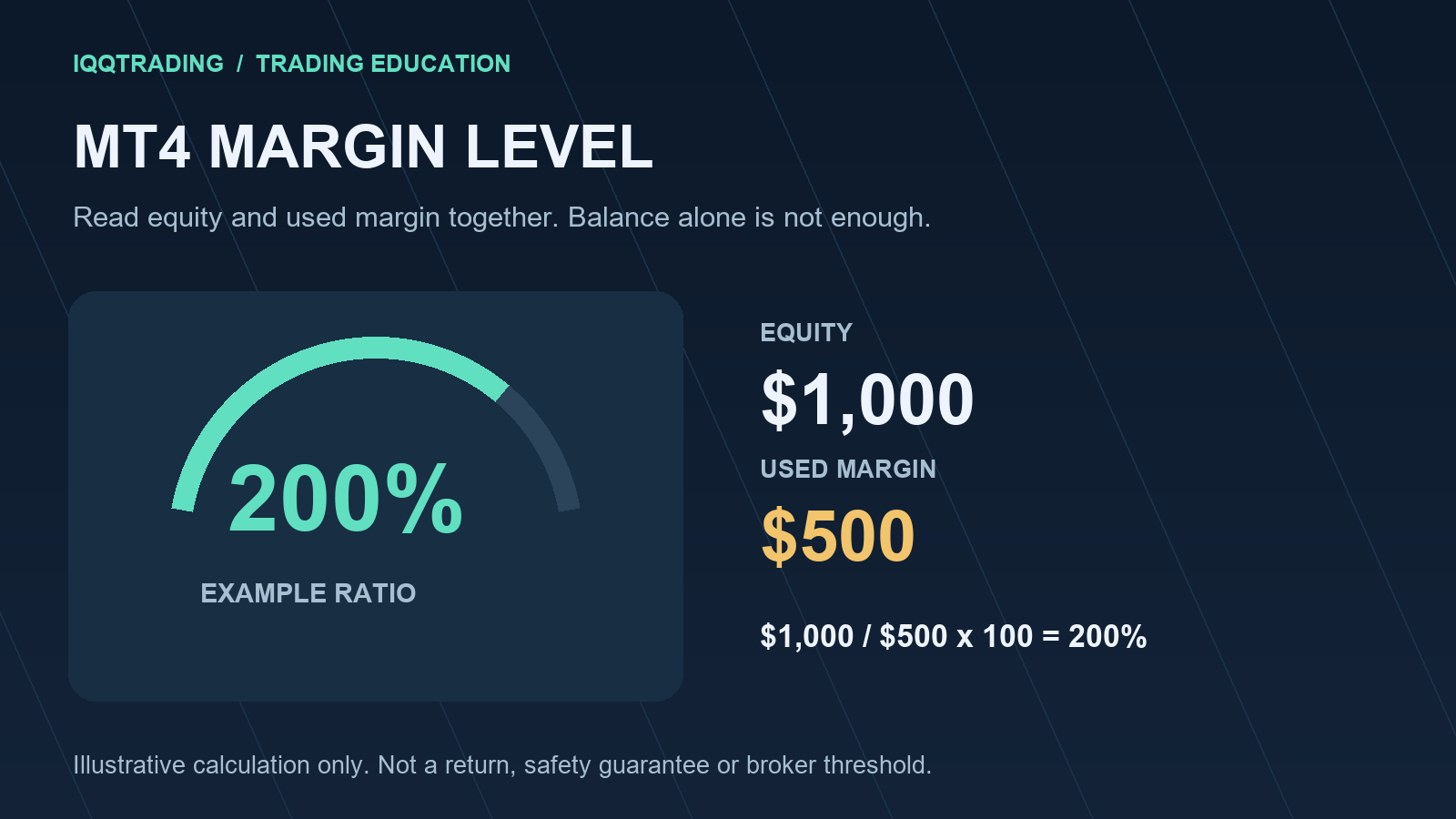
Quick answer: For the usual percentage-based calculation, MT4 margin level equals equity divided by used margin, multiplied by 100. It is an account ratio, not a profit percentage, a recommended exposure level, or a promise that positions will remain open.
On this page
- Separate balance, equity and margin
- Calculate MT4 margin level correctly
- Understand free margin
- Check the broker’s stop out rules
- Review contract size and leverage
- Compare copy-trading exposure
- Prepare a margin review routine
1. Separate balance, equity and margin
A balance figure can remain steady while open positions move against an account. Looking only at that balance can therefore miss a deterioration in the funds supporting current exposure.
Balance records the account’s booked funds. Equity reflects the current account value under the trading server’s calculation, including the effect of open results. Credits, charges and the broker’s configuration can matter, so an abbreviated balance-plus-profit example should never replace the terminal’s actual figures.
Used margin is the amount required to support positions under the account’s margin rules. It is different from the amount a trader plans to lose at a stop. A small margin requirement can accompany a position with substantial price exposure.
Read the values together in the Trade tab. The official MetaTrader 4 Trade-tab documentation describes the live position view. MetaQuotes also documents account equity and notes that its calculation depends on server settings.
2. Calculate MT4 margin level correctly
For a percentage-based account, the MT4 margin level formula is:
Margin level (%) = equity / used margin x 100
A published broker margin policy provides an example of the equity-to-used-margin formula. Its specific account conditions are not a universal rule.
Consider a deliberately simplified example in US dollars. Used margin stays at $500 throughout the comparison. There are no deposits, withdrawals, credits or additional charges in this illustration.
| Illustrative state | Equity | Used margin | Free margin | Margin level |
|---|---|---|---|---|
| Starting example | $1,000 | $500 | $500 | 200% |
| Equity falls | $700 | $500 | $200 | 140% |
| Further equity decline | $450 | $500 | -$50 | 90% |
The calculation at the middle point is $700 / $500 x 100 = 140%. These figures are arithmetic examples, not real account performance, live market observations or suggested targets.
A reading of 200% does not mean the account made a 200% return. Likewise, a decline from 200% to 140% is a change in this margin ratio; it should not be reported as the account’s percentage investment loss.
If used margin is zero, this particular division is undefined. Do not force a ratio into a spreadsheet or interpret a blank terminal field as guaranteed spare capacity. Check how that account displays the situation and what would be required for any proposed position.
3. Understand free margin

In the simplified relationship used here, free margin = equity – used margin. Free margin is a currency amount; MT4 margin level is a percentage. They describe related aspects of the account but answer different questions.
In the example, the fall from $1,000 to $700 in equity leaves $200 of free margin rather than $500. Nothing needs to happen to the displayed balance for that reduction to occur.
Negative free margin does not establish one universal stop out point. The applicable liquidation condition must be read from the broker’s rules, including whether the test is a percentage or an absolute amount. A broker may also reject new exposure even though some positions remain open.
Check the server-reported values instead of calculating from a cropped screenshot that omits credits or charges. MetaQuotes exposes separate values for free margin and account margin. Neither field should be mistaken for a personally suitable loss budget.
4. Check the broker’s stop out rules
A margin call and a stop out should not be treated as interchangeable events. The first may describe a warning or a restriction under the broker’s policy. A stop out can involve forced closure of positions. Do not assume that a personal phone call, email or convenient warning period will arrive first.
There is no single stop out percentage that this article can apply to every MT4 account. Ask which threshold applies to your specific legal entity, account type and instruments, and how it is measured.
Percentage mode and absolute mode
The official AccountStopoutMode reference distinguishes a percentage-based condition from a condition involving an absolute free-margin amount. A percentage shown on another trader’s account is therefore insufficient evidence of your own liquidation rule.
For a hypothetical percentage threshold of 50%, $500 of used margin would correspond mathematically to $250 of equity at that threshold. That is an illustration only. It does not state your broker’s threshold, guarantee a particular execution price, or suggest waiting until that point.
Forced closure is different from your planned exit
A stop-loss instruction belongs to a position’s exit plan. A broker’s stop out mechanism protects its margin requirements. One does not replace the other. Execution conditions and rapid price changes can also affect the final result.
MetaQuotes confirms in its position-closing documentation that brokers can close positions at a broker-set stop out level. Ask the broker about the applicable closure sequence rather than assuming the same order for every account.
5. Review contract size and leverage
Two positions described as one lot do not automatically have the same financial exposure. The instrument’s contract, margin calculation and account conditions all need to be understood.
For XAUUSD, check the broker’s actual gold specification. Do not copy an ounces-per-lot assumption from a social-media example into a live risk calculation. Similarly, an account’s advertised maximum leverage is not sufficient evidence of the margin requirement for every symbol or position size.
Use the symbol’s specification and the account’s trading terms together. MetaTrader’s Contract Specification help covers contract size, tick size, margin calculation mode and hedged margin, among other fields.
Opposite positions should not automatically be assumed to remove margin requirements. Their treatment can differ. Likewise, price movements, currency conversion and changes in the applicable requirement can make a static spreadsheet estimate differ from the server’s current value.
For the broader relationship between capital and exposure, read how account size affects trading risk. The practical question is what the positions mean for this account, rather than whether the platform will accept the order.
6. Compare copy-trading exposure
A follower can experience margin pressure that is not visible in a provider’s headline results. Existing manual positions, other copied strategies, different contract terms and the follower’s available equity all deserve separate attention.
For an original hypothetical comparison, imagine two accounts with $500 of used margin. One has $2,000 of equity and the other has $800. Their margin ratios are 400% and 160%. The same used-margin figure clearly does not imply the same relationship between available equity and committed margin.
This example does not predict which account will suffer a loss or quantify an IQQTrading customer result. It simply shows why comparing lot sizes or provider returns alone leaves important information out.
For MT4’s built-in Signals service, the official subscriber guide explains its own copying settings and synchronization. Third-party copiers can use different sizing rules; verify the actual product rather than treating that guide as a universal copier manual.
When reviewing an IQQTrading copy-trading service, ask how the proposed allocation relates to the follower’s other exposure and broker rules. Keep this margin review separate from an execution and slippage review: matching entry prices does not establish matching account risk.
For technical copier and integration requirements, Tramaxis trading software development is a related resource. Software configuration and financial suitability remain separate questions; automation does not remove the need to understand exposure.
7. Prepare a margin review routine
Make the review reproducible. Record the account currency, the time of the observation, equity, used margin, free margin and the displayed MT4 margin level. Add the broker’s documented stop out mode and threshold, plus the contract details relevant to the positions being reviewed.
Then separate observations from assumptions. A current terminal value is an observation. A spreadsheet holding used margin constant while equity falls is an assumption-based scenario. Labelling the two clearly makes the worksheet easier to audit later.
Use this short checklist:
- Confirm that the terminal is showing the intended account and current data.
- Read balance and equity separately; check open positions and charges.
- Reconcile the margin level formula with non-zero used margin.
- Verify stop out mode, threshold and closure rules with the broker.
- Include manual positions and every connected copying source.
- Label any stress calculation as hypothetical and state what stays constant.
- Recheck the relevant terms when account or instrument conditions change.
For a broker query, send the time, instrument and the specific discrepancy you want explained through the broker’s secure support channel. Keep passwords and investor access details out of public comments. A precise question about a calculation is more useful than a screenshot headed only with “MT4 is wrong.”
Frequently asked questions
Is an MT4 margin level above 100% always safe?
No universal safety threshold follows from that figure. The applicable broker rules, open exposure and possible changes still matter. A ratio should be interpreted in context rather than used as a guarantee.
Does free margin equal the amount I should risk?
No. Free margin is an account calculation, while a risk budget is a separate decision about a possible loss. Order acceptance alone does not establish that a position is appropriate.
Can copied positions close before the provider’s positions?
Different account conditions can create different outcomes. Check the follower’s equity, total exposure, copier behavior and broker’s documented liquidation terms before assigning a cause to an unexpected closure.
Does a higher MT4 margin level guarantee profit?
No. Margin level measures a relationship between equity and used margin. It does not measure the quality of an entry, forecast a price move or guarantee an investment result.
Review date: 22 October 2026. This is an educational explanation, not an individual recommendation, broker-specific policy statement or assurance against loss. All account figures are invented solely for transparent arithmetic examples. No market prices or customer performance have been asserted.